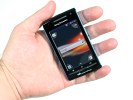
The Xperia Play Menu lists all the gamepad-optimized + PS1 games
For years, gamers clamored for a PlayStation Portable Phone, but year after year, Sony and its mobile division Sony Ericsson denied rumors and claims it was developing such a device. Hope finally arrived last year when prototype spy shots of the slider smartphone arrived.
The smartphone, then called the “Zeus” later officially became the Xperia Play. Unlike the crop of Android smartphones available today, the Xperia is hailed as the first true gaming-infused smartphone because when its screen is slid up, the familiar PlayStation gamepad buttons are revealed. While other outlets have already published their reviews on the Xperia Play over the last few weeks, reviewing it from an Android smartphone perspective, we decided to hone in on its real trump card: gaming. Does the Xperia Play live up to the PlayStation brand and years of hype? Click on for our full review.
Context
As an Ubergizmo writer, I need to stay connected at all times, meaning I’m constantly checking emails and browsing the Web – both of which aren’t super intensive tasks, but when checked on as frequent as I do (around the clock), starts taking a toll on battery life. That’s not all I use a smartphone for, though. Somewhat the gaming enthusiast (you may have noticed I cover a lot of gaming news here), I also love to consume multimedia on the go, meaning if I’m riding the bus or subway, I’ll almost always be 1) playing games 2) listening to music and 3) watching a few flicks on my smartphone (in order of preference). So as far as my usage pattern goes, the Xperia Play is right down my alley – an all-in-one device that promises to take my smartphone gaming to the next level with dedicated gamepad controls.
Technical Highlights
- 4-inch multi-touch display (854 x 480 resolution)
- 1 GHz Qualcomm Snapdragon II processor
- Adreno 205 GPU
- Internal phone storage: 400MB + 8GB microSD (supports up to 32GB)
- 512MB RAM
- Android 2.3 Gingerbread
- 5-megapixel rear camera with autofocus and LED flash
- VGA front-facing cam (960 x 640)
- Gamepad with D-Pad, four face buttons (X, O, Square, Triangle), L/R shoulder buttons
- Accelerometer + Proximity Sensor
- Wi-Fi: 802.11 b/g/n
- Bluetooth 2.1 with A2DP
- Height: 4.69 x 2.44 x 0.63 inches (119 x 62 x 16 mm)
- Weight: 6.17 ounces (175 g)
- Rechargeable 1500 mAh lithium-ion battery (swappable)
External Design (Excellent)

If you’ve ever held a PSP Go, you’ll find the XP’s design and feel extremely familiar. The entire smartphone is made of glossy black and silver plastic which makes it a very slippery device. I really wish Sony Ericsson brought the matte rear from the PSP Go over to the XP. Not only would a rubbery rear keep the phone from slipping out of our hands (I admit, it happened once or twice, but there’s no noticeable damage), the super glossy surface is a smudge and fingerprint magnet. Be sure to keep a screen wiper handy!

Android's familiar Back, Home, Menu and Search face buttons. Dust also tends to get in between the buttons rather easily.
On the front face of the XP, you’ll find a VGA front camera and the typical Android hotkeys: Back, Home, Menu and Search located at the bottom. Even though these buttons are cut extremely thin, I didn’t have any problems pressing them when wielding the XP in one hand. They could use a little more spacing and dust does tend get in between the buttons, but those are just minor quips from a guy who likes to keep his gadgets squeaky clean.

The Xperia Play comes with Android 2.3 Gingerbread, a mostly stock version, save for Verizon's bloatware apps
Sliding the screen up, you’ll find a D-pad, O/X/Square/Triangle buttons, dual analog touch joysticks (more on these later), Start and Select buttons on the lower right and another Menu button on the lower left. On the rear are of course the L/R shoulder buttons and the +/- volume rocker.

Two surprisingly loud speakers, a 3.5mm audio jack and a Mini USB port can be found on the bottom. On the back is the 5-megapixel camera with LED flash on the back and a landyard hole for located under the front’s Android buttons.

The Xperia Play has a very sturdy sliding mechanism.
Despite its plastic and faux-metal design, the XP is a sturdy and sleek looking smartphone. The sliding mechanism is very solid and we like how the back cover can be easily snapped on and off without any resistance. The slight tapers at the top and bottom of the XP’s back also make it one of the most comfortable phones to hold with one hand (and fit in a pair of slim jeans without bulging too much). Knowing Sony Ericsson’s strong history for producing quality handsets, we didn’t expect any less from the XP.
Display (Good)

Assassin's Creed on the XP is more akin to its DS and iOS versions. Don't expect console-style visuals or gameplay.
The XP has a wide 4-inch LED-backlit LCD touchscreen that takes up nearly the entire front face of the smartphone, which is great. It’s not exceptionally bright, but its 854 x 480 resolution screen is very sharp and is a beauty to look at when playing graphically impressive 3D games such as Modern Combat 2: Black Pegasus HD, Bruce Lee Dragon Warrior or The Sims 3 in well-lit environments.
Take the Xperia Play outdoors in direct sunlight and you’ll immediately notice that the screen is nigh impossible to see, like many smartphones. Cranking up the brightness doesn’t really help, because the display’s max brightness setting is already rather dim by default.
I understand that the Xperia Play’s display isn’t as crisp as say, the iPhone 4′s Retina Display or the HTC Sensation’s qHD display, but for what it’s worth, it gets the job done and does so without washing the colors out when wearing sunglasses or viewing it from skewed angles. For a gaming device, the Xperia Play’s considerably high resolution screen is lightyears ahead of the PlayStation Portable‘s 480 x 242 resolution and the Nintendo 3DS‘s 800 x 240 resolution screens.
Cameras (Good)

5-megapixel camera with autofocus and LED flash
On the back is a 5-megapixel camera with autofocus with LED flash and on the front is a tiny VGA (640 x 480) camera that is nearly missable. Generally speaking, Sony Ericsson phones are known to have wonderful cameras that produce sharp and crisp photos and the Xperia Play’s 5-megapixel camera continues that trend. While it can’t hold a candle up to a dedicated camera or even the Xperia Arc with its Exmor R low-light sensor, in well-lit scenes, the Xperia Play’s fast autofocus keep snaps vibrant with poppy colors and minimal blur. Unlike the iPhone 4, the Xperia Play’s cameras boasts plenty of on-screen toggles to activate various white balances, exposure settings and focus. Sadly, there is no HDR or touch to autofocus.
I wish I could say the same goes for the VGA front-cam, but the quality on that sensor is just awful, so do avoid it at all costs. Another feature you’ll greatly miss that’s found on many smartphones including (select) Android and Windows Phone 7 is a physical camera shutter button. As of this writing, the virtual onscreen shutter button is the only way to take pics. It would however be nice if in a future update, Sony Ericsson programmed the R-shoulder button to become a shutter button because it just feels like a natural fit, seeing as the button is already there and conforms to the standard way most people would use a camera anyway.

Video recording is not HD and has no autofocus.
Moving on to the video recording, the Xperia Play falls short when compared to most other smartphones. Consumers looking for HD 720p video recording will have to look elsewhere as the XP maxes out at 840 x 480 (480p) and doesn’t have zoom or autofocus while doing so. It’s definitely a step down to what we’ve become accustomed to, but if you don’t shoot much video, it’s not really a deal breaker.
Basics (Average)

Dialing with the virtual numeric pad couldn't be easier.
Dialing: No real issues here. Anybody who’s used a touchscreen’s numeric pad should have no problem adjusting. Verizon’s visual voicemail is nice to have as well.
Call Audio Quality: Verizon’s usually known for its crystal-clear call quality, but for some reason (in my neck of the woods a.k.a NYC) voices on the other end sounded tinny, but my tests aren’t conclusive by any means. When I chatted with people on other networks like T-Mobile and AT&T, the sound quality did sound a little clearer, but not by a huge noticeable margin. As with all smartphones, sound quality will differ based on coverage area.

Signal strength on the Xperia Play doesn't appear to be as strong as other smartphones on Verizon's network.
Wireless Reception: Another bummer while reviewing the Xperia Play seems to be its inability to maintain a 3G signal. Hopping in and out of subway tunnels (where there is no reception), the reception was quick to reconnect to a cell tower, but our review unit seemed to be stuck in a perpetual “1X” signal, even in areas known to have strong Verizon EV-DO 3G coverage. When the Xperia Play did have a 3G signal, the call bars was either at one bar or none (see pic above). On the other hand, connecting to Wi-Fi yielded fast connections and downloads and uploads should be in line with most other Verizon smartphones.

Just browsing everybody's favorite tech blog!
Web Browsing: Like most Android smartphones, the Xperia Play supports Adobe Flash. The experience is far from buttery smooth, with occasional stutters and buffering times over 3G as you’d expect, but if you’re patient, it’s more than acceptable when used minimally. Otherwise, general Web browsing is snappy and is similar to what you’d expect from other Android smartphones on the market.
Speakers: When playing games, watching movies or listening to music, the two speakers located on the Xperia Play’s rear are loud and clear. I know a lot of gamers tend to turn off a game’s musical soundtrack, but I’m a big believer in the audio presentation working in harmony with great graphics. Movies are nothing without incredible audio design and games should follow the criteria.
Gamepad / Controls (Good)

Standard PlayStation buttons are present on the Xperia Play
Finally, we get to the raison d’etre for the Xperia Play: it’s gamepad. Again, as we’ve said before, if you’ve spent any time with the PSP Go, the XP provides a similar experience. The D-pad and X/O/Square/Triangle buttons appear small, but make no mistake, they’re very functional. When pressed, they’ve got a nice light click to them, making button presses register perfectly without any issues while gaming.

The Xperia Play's dual touch analog joysticks
Instead of true analog sticks or even the infamous “nub” found on the PSP and PSP Go, Sony Ericsson decided to include two “analog touch joysticks,” but there’s one big problem: they are terrible. Resting your thumbs on them, you’d naturally expect to wiggle (for lack of a better word) along them like you would a virtual analog D-pad in many touchscreen games, but alas, that’s not how they work.
That little silver dot in the center of the analog joysticks is there for a reason – it’s the tracker that senses your thumbs. Lift your thumb off that dot (even a little) and the analogs become unresponsive. In fact, a Sony Ericsson representative at E3 actually told me the best way to handle those touch analogs is to very gently slide your thumb back and forth on it, without pressing down into them too much and lifting your thumb, because if you apply too much pressure, they become unresponsive as well.
So as you can tell by now, the analogs are pretty useless. After becoming frustrated with it while testing multiple games, I gave up on trying to adjust to it and switched back to the much more responsive D-pad. Heck, even using an onscreen virtual analog was more functional than the dual touch analogs.

L/R shoulder buttons are slope downwards when pressed.
Accurately speaking, the L/R shoulder buttons are more like shoulder triggers. Instead of depressing inward, they sort of slope downwards, which isn’t necessarily a bad thing, but it does add to unwanted slippage in a game like Star Battalion that relies on using them frequently to do barrel rolls and full 180-degree reverses.
Overall, I think Sony Ericsson did a great job of porting the gamepad from the PSP over to the Xperia Play. Buttons feel solid and responsive, with the exception of the dual touch analog joysticks and the sloping L/R shoulder buttons, but come on, this is a smartphone with a gamepad. Judging it on that, I think Sony Ericsson deserves props for cramming 20 buttons (we counted each of the D-pad’s directions as an individual button, as well as the power and two volume buttons) on the Xperia Play and still shipping it to retail in a slim and sexy body.
Games (Average)

The Xperia Play Menu lists all the gamepad-optimized + PS1 games
Pre-loaded on the XP are seven gamepad-optimized games including Bruce Lee Dragon Warrior, Asphalt 6: Adrenaline, The Sims 3, Madden NFL 11, Star Battalion, Tetris and Crash Bandicoot. The latter game which is the only classic PlayStation 1 game.
A quick glance at the list and you’ll see that the games are a well-packaged bundle that should appeal to everybody – sports, racing, puzzle, platformer, simulation, fighting and space shooter. Delving into the games, it quickly becomes apparent that the XP is little more than an Android phone with a gamepad and not really a smartphone with a full-fledged PlayStation Portable stuffed inside.
As I already stated, the gamepad and buttons are solidly built, but the horror kicks in when you fire up a game and see what a mess the entire gaming experience is. While some games like Star Battalion smartly recognize when the phone is open and when its not, automatically changing between gamepad controls and accelerometer + touchscreen controls, other games seem to rely on both touchscreen and the gamepad buttons or both simultaneously.
It might not seem like a big deal at first, but when you’re unsure of whether to use the touchscreen buttons, the gamepad or accelerometer controls, the gaming experience becomes a huge guessing game.Where the X and O buttons are normally used to accept or cancel a command on a PlayStation console, I often found neither of the buttons to work. Instead, many games expected me to somehow know that I was supposed to switch over and use the touchscreen buttons and gestures.
While most 3D games look fantastic on the Xperia Play, confusing controls knock the device down from being great to being average, which is quite disappointing because seeing games rendered so fluidly in such crisp detail on a smartphone sets the bar pretty high.
Here’s a quick run-down of a few of the games I played with:

The only PS1 game available is Crash Bandicoot
Crash Bandicoot: The 1996 PlayStation 1 game is back and everything seems to be intact. Visuals look sharp, colors pop, and gameplay is as simple yet addictive as when I first played it 15 years ago. Including Crash Bandicoot as a pack-in to demonstrate the Xperia Play’s powerful emulation capabilities was a smart move by Sony. Let’s just see more PS1 classics follow in its footsteps. I’d like Final Fantasy VII, Gran Turismo, Metal Gear Solid and Castlevania: Symphony of the Night please!

Pac-Man Championship Edition
Pac-Man Championship Edition: Believe it or not, I found myself playing Pac-Man more times than I can remember any other Xperia Play-optimized game. Sure, the game’s revamp can be controlled by sliding in either direction to steer the little yellow dude, but using the D-pad gives it a precision control (and less accidental maneuvers). Pac-Man is proof that old-school classic games still rock today, even if it does have barebones graphics. Eating those ghosts never gets old!

Star Battalion - like Star Fox, but without the memorable characters or funny story
Star Battalion: A space shooter-style game. The developers smartly programmed two different control configurations when the phone is open and closed. Visuals are crystal clear, with environments nicely rendered. The only thing that we have to say is lacking is that Star Battalion’s story is kind of a snore and its audio is repetitive. You’ll want to listen to your own music for this one.

The Sims 3 - play only if you're a fan.
The Sims 3: There’s not much to say about The Sims 3. If you’ve played one version, you’ve played them all. If you’re looking to see how hard the XP can push the polygons, this is one of the best games to demonstrate its technical prowess.

Bruce Lee Dragon Warrior
Bruce Lee Dragon Warrior: Perhaps the most demoed Xperia Play game ever, Bruce Lee is a visually-stunning game. No, seriously, you can’t understand how good this game looks until you try it. That’s about as far as the compliment goes. Although it’s available on iOS, Bruce Lee‘s gamepad controls actually feel worse than on the touchscreen only Apple platform. Ultimately, the A.I. is almost too tough for players to jump in and fight. The only way you’ll win fight is to button mash your way to victory, and if you’re lucky, you’ll land some punches and kicks in
Assassin’s Creed Altair’s Chronicles HD: If you’ve played the DS and iOS versions of Assassin’s Creed, you can skip this version. Gameplay remains largely unchanged, with players controlling Altair and mindlessly following glowing stars to navigate levels while sword fighting enemies with poorly programmed A.I. The game’s a looker, but it won’t win any innovation or Game of the Year awards.
Asphalt 6: Adrenaline: Again, if you’ve played any Asphalt version on iOS, DS or PSP, you’ll know what to expect. A variety of racing control schemes gives the Asphalt 6 a higher replay value, but racing fans looking for a fresh experience will have to look elsewhere. There’s also a bit of a frame rate problem with Gameloft’s racing game.
Load Times and DRM
One thing gamers can’t tolerate are long loading times. Thankfully, the loading times on the XP aren’t too terrible. I’d estimate the maximum load time was probably around 30 seconds, which seems reasonably acceptable. Most games are about 5-10 seconds, so you shouldn’t expect to spend too much time staring at loading screens.

Ugh...DRM
A huge pet-peeve for many Xperia Play games seems to be DRM and the requirement for an Internet connection. Before booting up ames like Pac-Man, Madden NFL 2011,The Sims 3 and Guitar Hero, the games need to connect to the Internet to ensure that it’s a genuine copy. This is a huge smack in the face for gaming in places where there is no signal like on an airplane or in an underground subway tunnel. Those hoping to play games like those I just listed without an Internet connection will be completely out of luck.
No Video Out/HDMI
Video Out/HDMI should have been a shoe-in for the Xperia Play, but the final unit didn’t include one. At E3, the XPs that Sony Ericsson’s booth had on display contained HDMI ports for output to an HDTV (games looked awfully blocky), but I was told by a rep that the company simply didn’t have enough time to add the port in the final design. I was also told that future XPs or PlayStation phones will probably contain one. This is a shame because I’ve seen the Xperia Arc output video to an HDTV and the mirroring is amazing.
Including an HDMI could have made the Xperia Play a truly disruptive gaming device; maybe even knock the DS and PSP off its lofty laurels and start eating into the home console territory. Who would need an Xbox 360, PS3 or Wii when the powerful console is now in your smartphone and playing it on a big screen is only an HDMI cable connection away? Oh, the missed opportunity!
Battery (Excellent)

The battery cover is extremely easy to pop off.
Because how you use your smartphone will differ from how I use my smartphone, a numerical measurement for battery life is highly inaccurate. For my daily use, I’d say I say I checked email around the clock whenever it pinged me, listened to music for about an hour or two (commuting into and out of the city), browsed the Web rather frequently (perhaps about 15 minutes continuously every hour or so) and gamed for an hour or two. With that type of usage, I was able to go an entire day without the XP’s battery life conking out completely. Actually, compared to the iPhone 4, I found the battery to be exceptionally generous even when the battery was on its last legs and constantly reminding me I was under five percent.
When considering this phone, ask yourself if you plan to game a lot on the go. If your answer is yes, then expect the battery to be significantly affected. It’s also worth mentioning that different types of games wield different battery life as well. A game that’s pushing the polygons and graphical effects like Assassin’s Creed or Bruce Lee Dragon Warrior drained the XP’s battery much quicker than playing Angry Birds Pac-Man Championship Edition or Tetris.
In the end, I found the battery on the XP sufficient (anything that lasts 12 hours without needing a recharge is winner in my book) for my needs and after seeing it keep trucking along for the first few days with XP, I stopped worrying about it needing a recharge and even stopped carrying the USB plug in bag (yeah, I carry one, isn’t that normal?).
Conclusion

Today, the smartphones in our pockets aren’t mere cellphones. They’re powerful portable computers that are capable of multitasking and functioning as an all-in-one device, whether that includes a little or a lot of calling, Web browsing, playing movies/music/games, checking email, taking pictures, shooting HD video, etc. We rely on mobile apps to provide additional functionality to the original hardware and we expect the phone to last all day without requiring a charge. A smartphone that is able to strike the right balance to juggle battery life will be the ultimate phone.
The Xperia Play had the potential to be the first real hardcore gaming-focused smartphone - even stronger than Apple’s iOS platform, but it ultimately falls short due to the lack of quality games. Most games available today on the Xperia Play are mere mobile ports optimized with gamepad controls. Developers are not dedicating teams, budgets and creative ideas to pumping out new experiences that take advantage of the hardware, because technically, the Xperia Play’s gaming portion is still second fiddle to the smartphone half.

The Xperia Play's biggest fault is its weak lineup of "PlayStation" titles.
What is the Xperia Play then? Can it really be considered a game platform? I wish I could say it is one, but at this moment, it’s like the Nokia N-Gage gaming cellphone – a phone with mobile games optimized with gamepad controls. Are we seeing the full, deep and innovative games that came out on the DS/3DS and will come out on the PS Vita on the Xperia Play? Nope. With such a weak library of Xperia Play-optimized games and PlayStation classics, the XP almost feels half-baked.
But there is hope. Even though the games today aren’t what one would consider worthy of the PlayStation-brand, I did see a multitude of demos at E3 that certainly paint the Xperia Play in a different light. Games like Minecraft, Samurai II: Vengeance and Desert Winds give the Xperia Play a chance to become a great gaming smartphone. And if Sony Ericsson delivers on its promise for 20 new XP games within the next few months, things could look radically different from right now.
There’s just one caveat to waiting; a new Xperia Play successor will probably be out in no time and buying the first-gen phone to play Xperia Play games that will come in the future will feel outdated.
So without going on any more, the final takeaway is that the Xperia Play is really the run-of-the-mill 1GHz, 512MB RAM, 5-megapixel, Android 2.3 smartphone. It’s average at best for an Android device and its gamepad is hardly the ground-breaking bridge to finally melding the standalone PlayStation with a smartphone. If you’re looking for a good-looking smartphone on Verizon that is not made by HTC, Samsung or Motorola, then the Xperia Play is the best option. If you’re a gamer at heart and want to play real games on the go, we suggest getting a Nintendo 3DS or waiting for the PS Vita as both those devices will better suit your gaming needs.


![big Sony Ericsson Xperia phones redefine Facebook integration, heres how [REVIEW]](http://blog.gsmarena.com/pics/11/07/xperia-facebook-integration/big.jpg)
![gsmarena 002 Sony Ericsson Xperia phones redefine Facebook integration, heres how [REVIEW]](http://blog.gsmarena.com/pics/11/07/xperia-facebook-integration/gsmarena_002.jpg)
![gsmarena 003 Sony Ericsson Xperia phones redefine Facebook integration, heres how [REVIEW]](http://blog.gsmarena.com/pics/11/07/xperia-facebook-integration/gsmarena_003.jpg)
![gsmarena 005 Sony Ericsson Xperia phones redefine Facebook integration, heres how [REVIEW]](http://blog.gsmarena.com/pics/11/07/xperia-facebook-integration/gsmarena_005.jpg)
![gsmarena 006 Sony Ericsson Xperia phones redefine Facebook integration, heres how [REVIEW]](http://blog.gsmarena.com/pics/11/07/xperia-facebook-integration/gsmarena_006.jpg)
![gsmarena 013 Sony Ericsson Xperia phones redefine Facebook integration, heres how [REVIEW]](http://blog.gsmarena.com/pics/11/07/xperia-facebook-integration/gsmarena_013.jpg)
![gsmarena 009 Sony Ericsson Xperia phones redefine Facebook integration, heres how [REVIEW]](http://blog.gsmarena.com/pics/11/07/xperia-facebook-integration/gsmarena_009.jpg)
![gsmarena 007 Sony Ericsson Xperia phones redefine Facebook integration, heres how [REVIEW]](http://blog.gsmarena.com/pics/11/07/xperia-facebook-integration/gsmarena_007.jpg)
![gsmarena 010 Sony Ericsson Xperia phones redefine Facebook integration, heres how [REVIEW]](http://blog.gsmarena.com/pics/11/07/xperia-facebook-integration/gsmarena_010.jpg)
![gsmarena 012 Sony Ericsson Xperia phones redefine Facebook integration, heres how [REVIEW]](http://blog.gsmarena.com/pics/11/07/xperia-facebook-integration/gsmarena_012.jpg)
![gsmarena 014 Sony Ericsson Xperia phones redefine Facebook integration, heres how [REVIEW]](http://blog.gsmarena.com/pics/11/07/xperia-facebook-integration/gsmarena_014.jpg)